
New to Bitcoin? No problem!
If you’ve never used cryptocurrency before, the process might seem confusing at first. This guide explains the basics of setting up a Bitcoin wallet, purchasing BTC, and understanding how Bitcoin payments work.
We’ll use Proton Wallet as an example. It is an independent wallet service, and you can learn more about it through its official website.
What You’ll Need
Before getting started, make sure you have:
- A smartphone or computer with internet access.
- An email address to register your wallet account.
- A supported payment method if you intend to purchase Bitcoin.
- Access to your wallet’s security and recovery information.
Recommended wallet: Proton Wallet
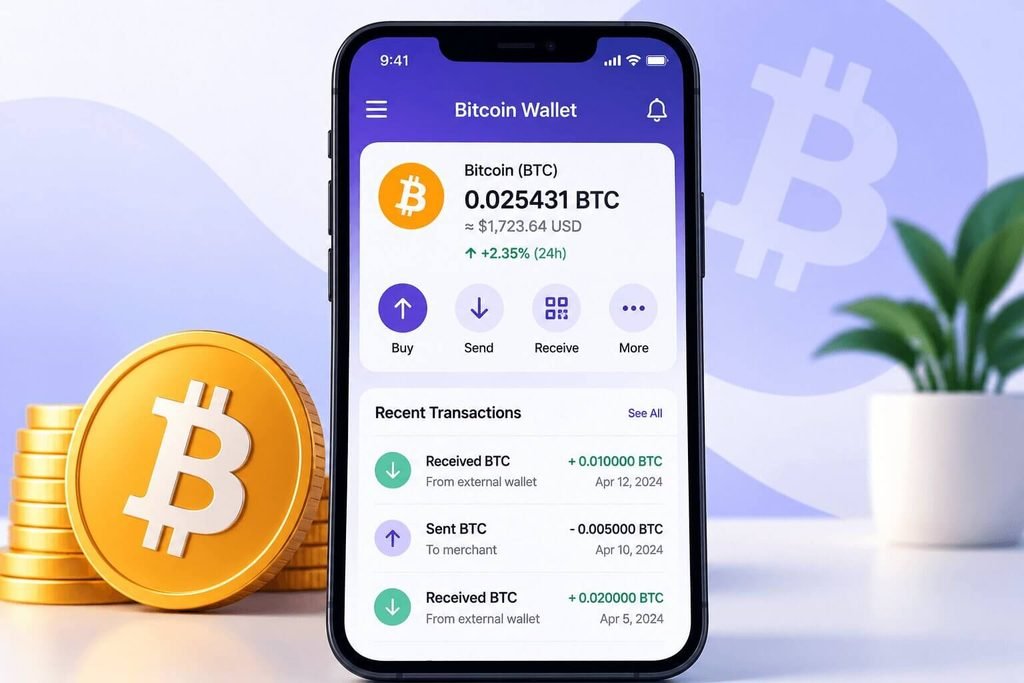
Step 1: Create Your Proton Wallet Account
First, visit the official registration page:
Create a Proton Wallet Account
- Open the registration link.
- Follow the instructions to create your account.
- Select the Free plan if available.
- Complete any required verification steps.
- Sign in to your new wallet.
Once registration is complete, follow the wallet setup instructions.
Security tip: Never share your password, recovery phrase, or private keys with anyone, including customer support representatives.
Step 2: Set Up Your Bitcoin Wallet
After signing in:
- Open your Proton Wallet.
- Locate the Bitcoin (BTC) section.
- Follow the instructions to access your Bitcoin wallet.
- Familiarize yourself with the available options, including receiving and sending Bitcoin.
Bitcoin is a digital currency that can be transferred between compatible wallets.
Step 3: Purchase Bitcoin
If you need to acquire Bitcoin, check whether purchasing is available through your wallet or a supported third-party provider.
Depending on your location and provider, you may be asked to:
- Select Bitcoin (BTC).
- Enter the amount you wish to purchase.
- Choose an available payment method.
- Complete any required identity verification.
- Review the exchange rate, fees, and total cost before confirming.
Purchases may take time to complete, and availability varies by region.
Step 4: Understand How Bitcoin Payments Work
Once you have Bitcoin in your wallet.
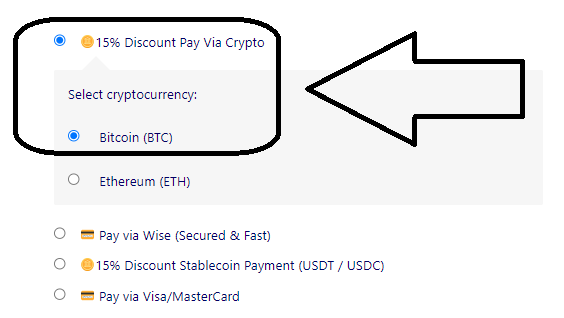
Visit ProModafinilMind.to, add your desired products to your cart, and proceed to the checkout page. Once you reach checkout, our website will provide the Bitcoin payment instructions directly, including the wallet address, QR code, and required payment amount.
We provide the following payment details:
- A Bitcoin wallet address where your payment should be sent.
- A QR code that you can scan with your Bitcoin wallet to enter the payment address conveniently.
- The requested payment amount for your order.
- The supported Bitcoin network to use for the transaction.
- A payment expiration time, if applicable.
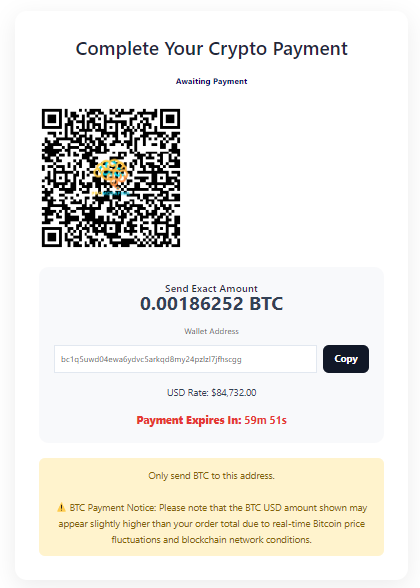
Before sending your payment, carefully review the payment information displayed on our website. Make sure the wallet address, payment amount, and supported network match the instructions provided at checkout.
Once you have verified all the details, you can proceed with the payment using your Bitcoin wallet.
Important: Bitcoin transactions are generally irreversible once confirmed on the blockchain. Always double-check the payment details before authorizing the transaction, and never share your wallet recovery phrase or private keys with anyone.
Step 5: Review Your Transaction
Before confirming your Bitcoin payment to ProModafinilMind.to, carefully verify the following details against the payment instructions provided on our website:
- Recipient’s wallet address: Make sure the address in your Bitcoin wallet exactly matches the wallet address displayed at checkout.
- Payment amount: Ensure that you are sending the exact amount requested for your order.
- Transaction fees: Review any applicable network fees before confirming the transfer.
Bitcoin transactions are generally irreversible once confirmed on the blockchain. Sending funds to an incorrect wallet address or through an unsupported network may result in permanent loss of funds.
For your security, always use the payment details displayed on the official ProModafinilMind.to checkout page. If anything appears different or unclear, verify the information with our support team before proceeding.
Step 6: Check Your Transaction Status
After submitting a Bitcoin transaction, your wallet may display a transaction ID or transaction hash.
You can use this information to review the transaction status.
Depending on network conditions and the recipient’s requirements, confirmation may take some time.
Keep your transaction record for reference.
Frequently Asked Questions
Is Proton Wallet free?
Proton offers wallet access, but purchasing Bitcoin through third-party services may involve fees or other charges. Check the current terms before proceeding.
Why is my Bitcoin transaction taking so long?
Bitcoin transactions require network processing. Confirmation times can vary depending on network activity and transaction fees.
Can I cancel a Bitcoin transaction?
Once a Bitcoin transaction has been broadcast and confirmed, it generally cannot be reversed. Always double-check the details before submitting.
Is Bitcoin safe for beginners?
Bitcoin can be used securely when proper precautions are followed. However, transactions may be irreversible.
Only use trusted services, protect your account credentials, and never send money unless you understand and have verified the payment instructions.
Final Reminder
If you’re new to Bitcoin, take your time learning how the wallet works before making a transaction.
For official wallet information and support, visit: Proton Wallet
We’re not sharing this just to earn from referrals. We genuinely believe in the product and want others to experience its value. We may earn a small commission, but this is not sponsored, just an honest recommendation.
Register here: Proton Wallet
Your security comes first. Always verify payment details, protect your wallet credentials, and understand the transaction before confirming it.